Linuxbeast Developer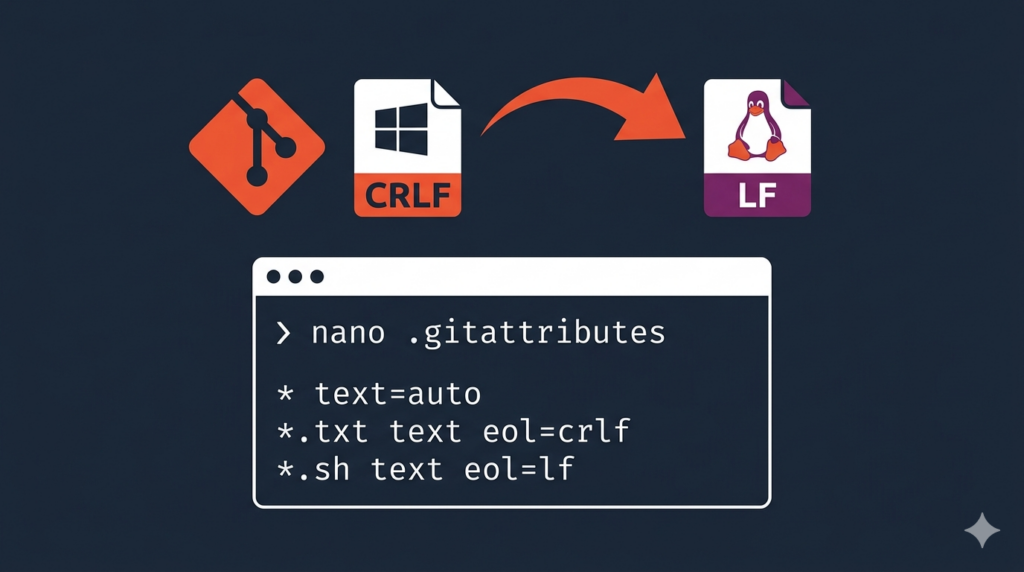
You’re working on a shared repository with multiple contributors. Some are on native Windows, some on WSL2 Ubuntu, others on macOS or pure Linux. One of them clones the repo, runs git status, and sees hundreds of “modified” files they never touched. Their next commit balloons into a noisy diff that nobody can review. That’s a Git line ending mismatch — CRLF on Windows colliding with LF on Linux — and it has to be fixed at the repo level, not on each laptop. This guide shows you how to do it once, for the whole team.
The maintainer steps in this guide are run on WSL2 Ubuntu in Windows, but they work the same on any Linux or macOS contributor.
Prerequisites
- Maintainer access (push to
main) on the shared repository - WSL2 Ubuntu installed — see How to Install Ubuntu 20.04 or 22.04 in WSL 2 on Windows 10 if you need to set it up
- Git 2.41 or later — see How to Upgrade Git to Version 2.41.0 or Later on Ubuntu
- A way to reach every contributor afterwards (Slack, Teams, email) so they can refresh their local clone
Why This Is a Team Problem, Not a Personal One
If only one developer worked on the repo, their machine’s defaults would be consistent and nothing would break. The pain shows up when contributors with different operating systems push to the same branch.
- A Windows contributor commits a shell script with CRLF
- A Linux contributor pulls and the script fails to run with
/bin/bash^M: bad interpreter - The WSL2 contributor “fixes” it by saving with LF, then commits — but now the diff shows every line of the file as changed
- The next merge surfaces conflicts on lines that look identical to everyone
Telling each contributor “just configure your Git correctly” doesn’t scale. You need a repo-level rule that overrides every machine.
Understanding CRLF vs LF
Operating systems use different invisible characters to mark the end of a line in text files. The mismatch is what causes Git to flag files as modified when nothing actually changed.
| Operating System | Line Ending | Escape Sequence |
|---|---|---|
| Windows | CRLF (Carriage Return + Line Feed) | \r\n |
| Linux / macOS / WSL | LF (Line Feed only) | \n |
The extra \r on Windows is the troublemaker. It’s invisible in most editors, but Git sees it — and so do shell scripts, YAML parsers, and Docker.
What Breaks When the Team Mixes Line Endings
- Bash scripts fail on Linux contributors’ machines —
/bin/bash^M: bad interpreter: No such file or directorybecause the shebang picked up a carriage return from a Windows commit - YAML configs throw cryptic parse errors — looks fine in the Windows author’s editor but fails for everyone else
- Dockerfile builds fail — line continuation with
\breaks because\^Mis not valid - Reviews become unreadable — every line shows as modified after a single contributor’s editor changes line endings on save
- Merge conflicts on identical content — same text, different line endings, Git can’t reconcile them
How Git Handles Line Endings
Two settings matter: core.autocrlf (per-machine) and .gitattributes (per-repo). The repo file overrides every machine’s local setting, so that’s where you enforce the team rule.
core.autocrlf
| Value | On Checkout | On Commit | Best For |
|---|---|---|---|
| true | LF to CRLF | CRLF to LF | Native Windows contributors (no WSL) |
| input | No change | CRLF to LF | WSL2, Linux, macOS contributors |
| false | No change | No change | Manual control (avoid for shared repos) |
.gitattributes
The .gitattributes file is committed to the repo and applies to every contributor automatically. This is the single source of truth for line endings — it overrides whatever core.autocrlf someone has on their laptop, so you only have to get it right once.
Step 1: Each Contributor Sets Their Local Git Config
This is a one-time setup every team member runs on their own machine. WSL2, Linux, and macOS contributors use input:
git config --global core.autocrlf input
git config --global core.safecrlf warn
Native Windows contributors (Git Bash without WSL) use true instead, so they keep CRLF locally but commit LF:
git config --global core.autocrlf true
git config --global core.safecrlf warncore.autocrlf— controls how Git converts line endings during commit and checkoutcore.safecrlf warn— warns when Git is about to convert line endings, so nothing changes silently
Verify it took effect:
git config --global --list | grep -E "(autocrlf|safecrlf)"Step 2: Maintainer Adds .gitattributes to the Repo
From the root of the shared repository, create .gitattributes so every contributor — regardless of OS or local Git config — gets the same line endings.
# Force all text files to LF across the whole team
* text=auto eol=lf

# Shell scripts must always be LF (they fail otherwise on Linux)
*.sh text eol=lf

# Windows batch files keep CRLF
*.bat text eol=crlf
*.cmd text eol=crlf

# Binary files — never convert
*.png binary
*.jpg binary
*.gif binary
*.exe binary
*.dll binary
Commit it on its own so the renormalization step has a clean before/after:
git add .gitattributes
git commit -m "chore: enforce LF line endings via .gitattributes"
Step 3: Maintainer Renormalizes the Existing Repo
The new rules don’t fix files that were already committed with CRLF. Re-process every tracked file once so the whole repo lands on LF.
git add --renormalize .
git status
git commit -m "fix: normalize line endings (CRLF to LF)"
git add --renormalize .— re-applies.gitattributesrules to every tracked file in the repogit status— review the converted files before you commit
Expect a large diff on the first run. That’s normal — every CRLF file in the repo is being normalized once. Land this commit on its own so contributors can git blame past it without confusion.
Step 4: Push and Get Every Contributor on the Same Page
git push origin mainAfter pushing, every teammate must refresh their working directory or they’ll see the same “modified” files you saw earlier. Send this snippet in your team channel:
git fetch origin
git checkout -- .
git pull --rebase origin main
Anyone with an open feature branch should rebase or merge from main and renormalize their own branch — see How to Merge Branches in Git Without Auto-Resolving Conflicts for the safe path.
Common Team Issues and Fixes
A Contributor’s Fresh Clone Shows Modified Files
Cause: their local core.autocrlf is converting on checkout. Tell them to run Step 1 first, then reset:
git checkout -- .git checkout — . Doesn’t Clear Modifications
Cause: the index has cached the old normalization. Reset the index and rebuild it:
git rm --cached -r .
git reset --hard HEAD
Merge Conflicts on Identical Lines Across Branches
Same content, different line endings. Renormalize the feature branch first, then merge:
git checkout feature-branch
git add --renormalize .
git commit -m "fix: normalize line endings"
git checkout main
git merge feature-branch
Convert a Single File a Contributor Already Committed Wrong
sudo apt install -y dos2unix
dos2unix path/to/file.sh
Or without installing anything extra:
sed -i 's/\r$//' path/to/file.shCheck What Line Endings a File Has
When a teammate reports a file misbehaving, run these to confirm what’s actually committed:
file path/to/file.sh
git ls-files --eol path/to/file.sh
cat -A path/to/file.shfile— reportsASCII textfor LF orASCII text, with CRLF line terminatorsfor CRLFgit ls-files --eol— shows what’s in the index (i/lfori/crlf) versus the working treecat -A— prints invisible characters; CRLF lines end in^M$, LF lines end in$
Prevent It From Happening Again
Editor Config for the Team
Most contributors use VS Code with WSL — see How to Connect Visual Studio Code with WSL 2 for Linux Ubuntu. Add this to a workspace settings.json committed to the repo so everyone gets the same default:
{
  "files.eol": "\n"
}
Add an .editorconfig at the Repo Root
Drop this in the repo root so every editor that respects EditorConfig (VS Code, JetBrains, Sublime, Vim) uses LF without anyone having to configure it manually:
root = true

[*]
end_of_line = lf
insert_final_newline = true
charset = utf-8
trim_trailing_whitespace = true
Add a Shared Pre-Commit Hook
Catch CRLF before any contributor pushes it. Commit a .pre-commit-config.yaml at the repo root using the pre-commit framework:
repos:
  - repo: https://github.com/pre-commit/pre-commit-hooks
    rev: v4.6.0
    hooks:
      - id: mixed-line-ending
        args: ['--fix=lf']
      - id: end-of-file-fixer
Each contributor runs pre-commit install once after cloning, then the hook runs automatically on every commit. New to pre-commit? Follow How to Install and Use Pre-commit on Ubuntu WSL 2 first.
Quick Reference for the Team
| Situation | Action |
|---|---|
| New WSL2/Linux/macOS contributor | git config --global core.autocrlf input |
| New native Windows contributor | git config --global core.autocrlf true |
| Maintainer setting up the repo | Commit .gitattributes with * text=auto eol=lf |
| Contributor’s clone shows modified files | git checkout -- . after the maintainer pushes the fix |
| Branch can’t clear modifications | git rm --cached -r . && git reset --hard |
| Convert one file | dos2unix file or sed -i 's/\r$//' file |
Conclusion
Committing a .gitattributes, renormalizing once, and getting every contributor to set core.autocrlf for their OS gives the team a single, enforced standard. After that, it doesn’t matter whether the next pull request comes from Windows, WSL2 Ubuntu, macOS, or pure Linux — everyone sees the same content, and CRLF stays out of the repo.
If a contributor has a noisy branch after the fix, point them at Safety Moving Uncommitted Changes to A New Branch in Git. To smooth out the rest of the team workflow, How to Configure Git Pushes Without Authentication Prompts is a good follow-up.